Guest Suite
Change a role, pause, sign out or delete a user
Who this is for: Admin
Admin
Tap Admin → Users. Each person shows their role, status and last sign-in.
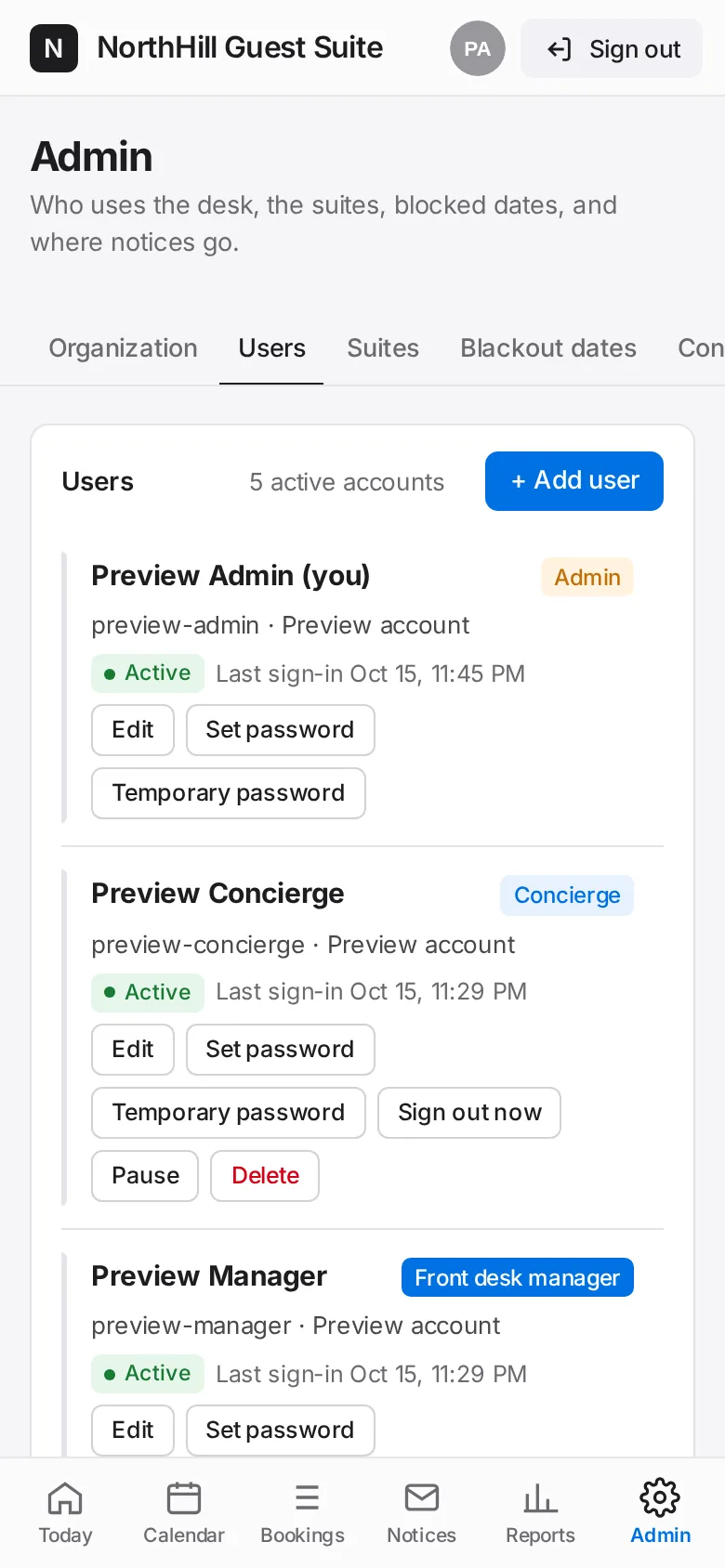
Tap Edit to change their name, role or details. Tap Pause to block sign-in without deleting (Reactivate undoes it).
Tap Sign out now to end their sessions on every device, or Delete to remove the account for good.
Below the list, set how long until people are signed out automatically, then Save.