CoreFitness
Add or edit a waiver or document
Who this is for: Admin
Admin
Tap Waivers & Documents. The main waiver is signed by everyone at registration.
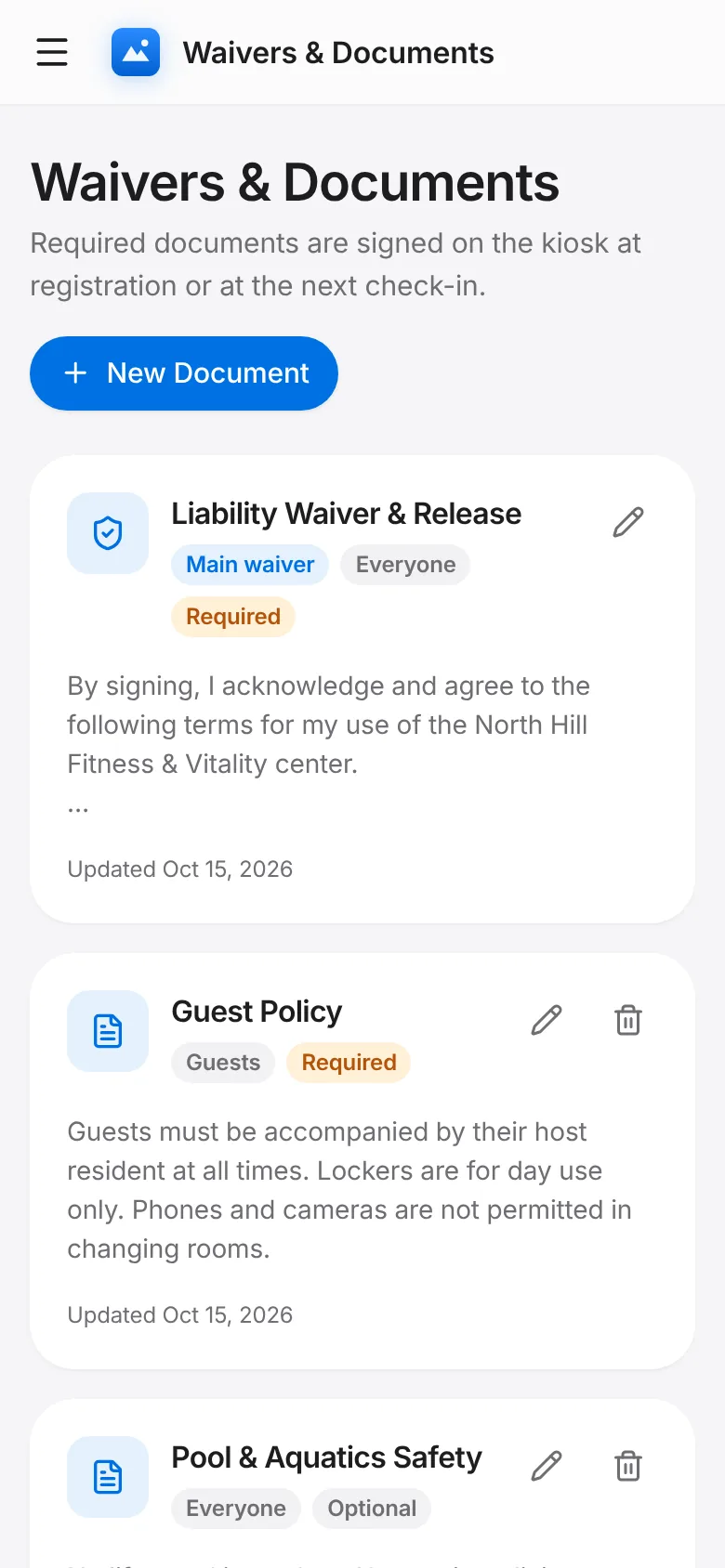
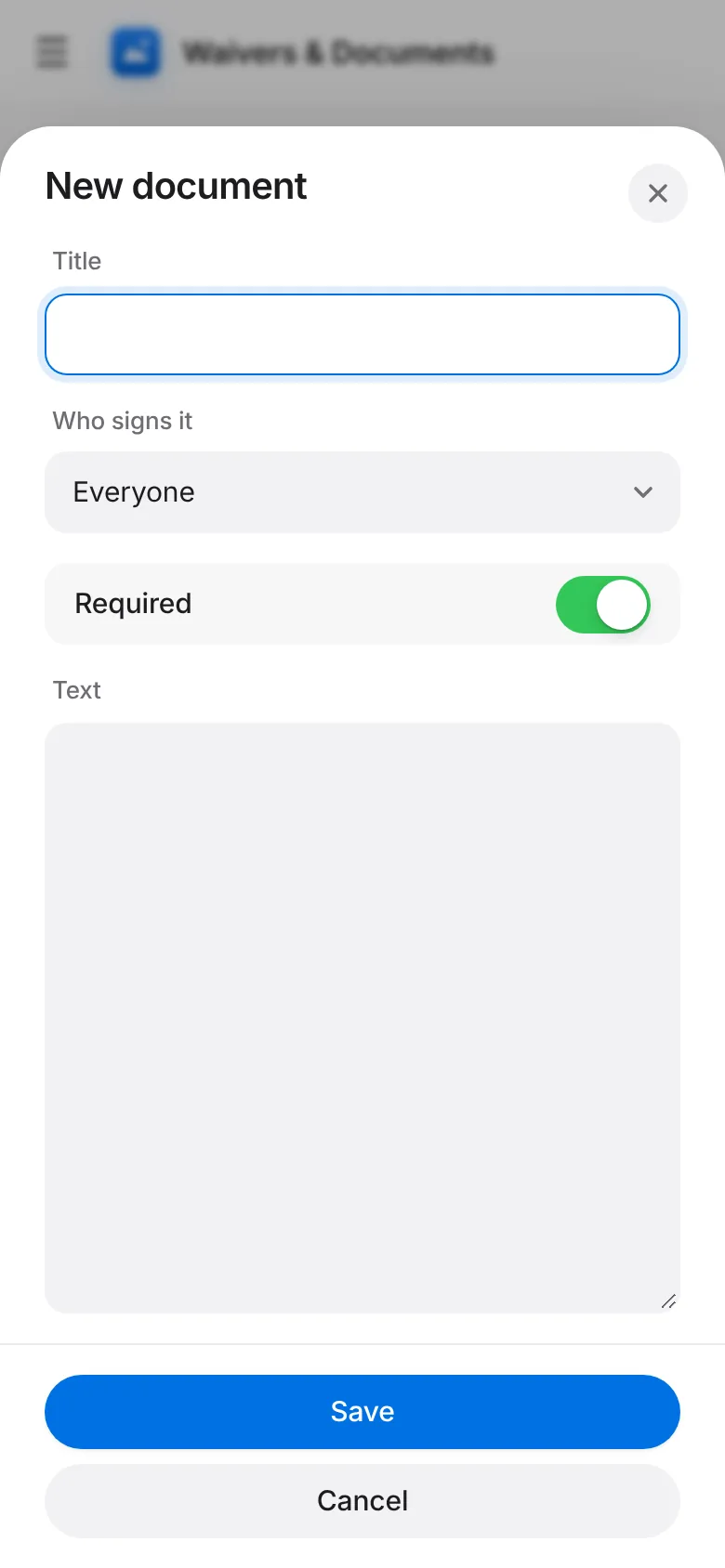
Tap New Document, enter the title and text, choose the audience (everyone, residents or guests) and whether it is required. Save.
Required documents are shown on the kiosk at registration or the next check-in until they are signed. Edit changes the text; Delete removes a document that is no longer needed.